How to crop a PDF on Mac
To crop a PDF on Mac, open it in Preview, select the part of the page you want to keep with the Rectangular Selection tool, and click Crop. It is built in, so there is nothing to install.
Updated 12 November 2026
Crop a PDF in Preview
- Open the PDF in Preview.
- If the Markup toolbar isn’t showing, click the Show Markup Toolbar button.
- Click the Rectangular Selection button and drag over the part of the page you want to keep.
- To see the size of your selection, choose Tools > Show Inspector.
- Click the Crop button in the Markup toolbar.
From Apple’s guide Crop or rotate a PDF in Preview on Mac, checked 12 Nov 2026.
Undo a crop in Preview
- Straight away: choose Edit > Undo Crop.
- Later: choose File > Revert To > Browse All Versions, and pick a version from before the crop.
Both from the same Apple guide, checked 12 Nov 2026.
Why crop a scanned page
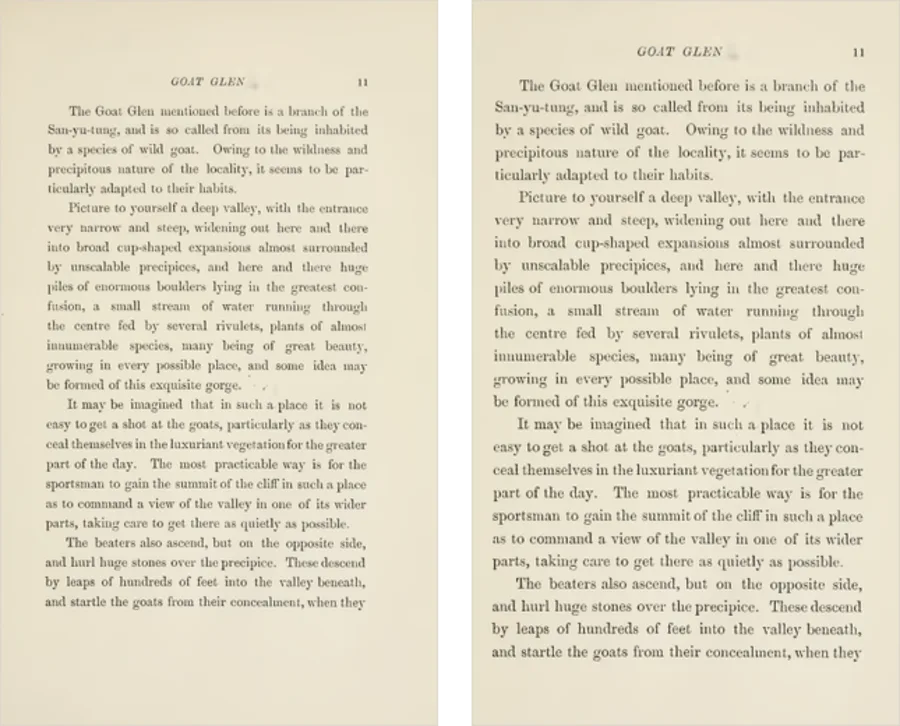
Scanners keep the whole sheet, margins and all. Your screen shrinks the page to fit, so the white border costs you text size. Cropped to the text, the same page fills the screen.
Where Preview falls short
- Apple’s steps cover one page. The guide crops the page in front of you and says nothing about giving a whole document the same crop.
- You crop by eye. Apple points to the Inspector only to view the size of your box, not to type a margin.
- Nothing suggests where to crop. You find the edge of the text yourself on every page you do.
Crop every page at once, free
For a whole document, open Crop PDF in Safari. It looks at your pages, suggests a crop around the text, and applies it to every page when you download. The PDF stays on your Mac; nothing is uploaded.
One crop, every page, in Safari.
Crop my PDFQuestions
How do I undo a crop in Preview?
Straight away, choose Edit > Undo Crop. Later, choose File > Revert To > Browse All Versions and pick a version from before the crop.
Is the cropped part deleted?
No. Apple says cropping a page hides content. The rest of the page is still in the file, which is why it doesn’t get smaller.
Does the free tool work in Safari?
Yes. It also works in Chrome, Firefox and Edge on a Mac.